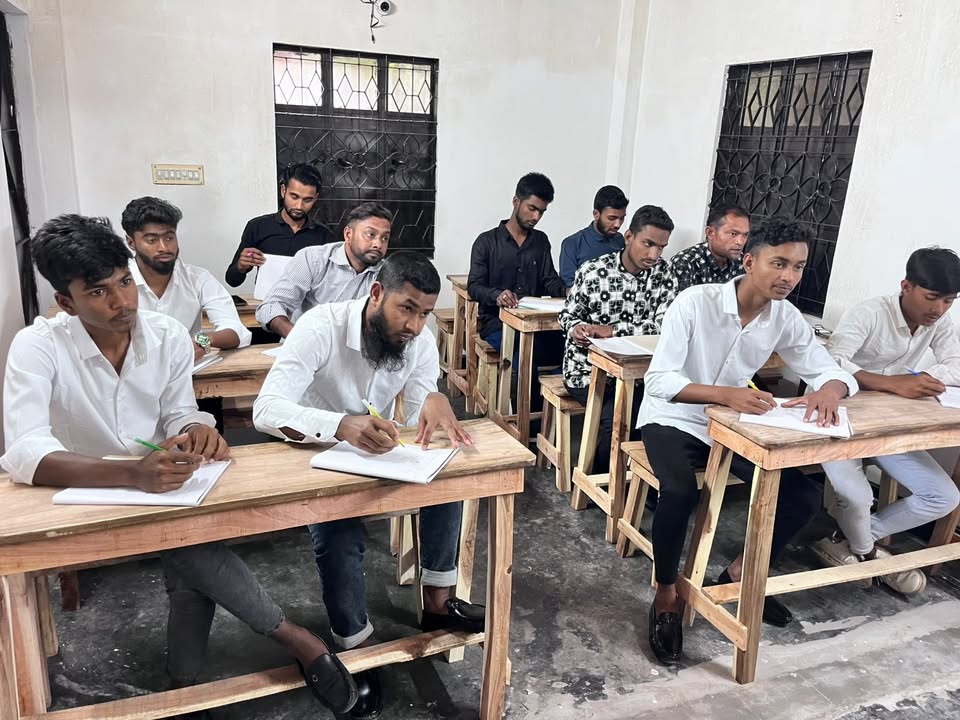
Basic to Advanced Computer Training
Course Overview
Basic to Advanced Computer Training – Topic Wise Details
1. Computer Basics
Introduction to computers, types of computers, basic components, and how computers are used in daily life.
2. Hardware & Software
Understanding physical parts (CPU, monitor, keyboard) and software types (system software, application software).
3. Windows Operating System
Using Windows OS, desktop navigation, settings, control panel, and basic system operations.
4. File Management
Creating, organizing, copying, moving, and deleting files and folders efficiently.
5. Typing (English & Bangla)
Improving typing speed and accuracy using keyboard practice tools in both languages.
6. Internet Browsing
Using browsers to access websites, search information, and navigate safely online.
7. Email (Gmail)
Creating and managing email accounts, sending/receiving emails, attachments, and communication etiquette.
8. Google Search
Effective search techniques, filters, and finding accurate information quickly.
9. Online Forms
Filling online applications, registrations, and submitting forms correctly.
10. Video Conferencing
Using Zoom/Google Meet for online meetings, classes, and screen sharing.
11. Cloud Storage
Using Google Drive to upload, store, share, and manage files online.
12. Cyber Security Basics
Safe internet practices, password protection, avoiding scams, and protecting personal data.
13. Microsoft Word
Creating documents, formatting text, tables, CV writing, and professional letters.
14. Microsoft Excel
Data entry, basic formulas, functions, charts, and simple accounting tasks.
15. Microsoft PowerPoint
Creating slides, adding design, animations, and delivering presentations.
16. Printing & Scanning
Using printers and scanners, setting print options, and document digitization.
17. PDF Handling
Creating, editing, converting, and sharing PDF files.
18. Data Entry
Accurate and fast data input techniques for office and online work.
19. Advanced Word
Mail merge, advanced formatting, templates, and document automation.
20. Advanced Excel
Functions, pivot tables, data analysis, and report generation.
21. PowerPoint Design
Advanced slide design, transitions, animations, and presentation techniques.
22. Graphic Design
Basic design principles using Photoshop/Canva for social media and marketing materials.
23. Basic Accounting Software
Introduction to simple accounting tools for business and office use.
24. Freelancing
Creating profiles, finding jobs, and working on platforms like Fiverr and Upwork.
25. Basic Web Design
Introduction to HTML & CSS, creating simple web pages.
26. Digital Marketing
Basics of online marketing, social media promotion, and content strategies.
27. Online Income Methods
Different ways to earn online including freelancing and digital services.
28. CV & Portfolio Creation
Creating professional CVs and portfolios to showcase skills.
29. Interview Preparation
Common interview questions, communication skills, and confidence building.
What You Will Learn
Course Fee
15,000 BDT
Contact us to confirm your seat.
Need Help?
- 09639-800000
- office@eurogulfoverseas.com